

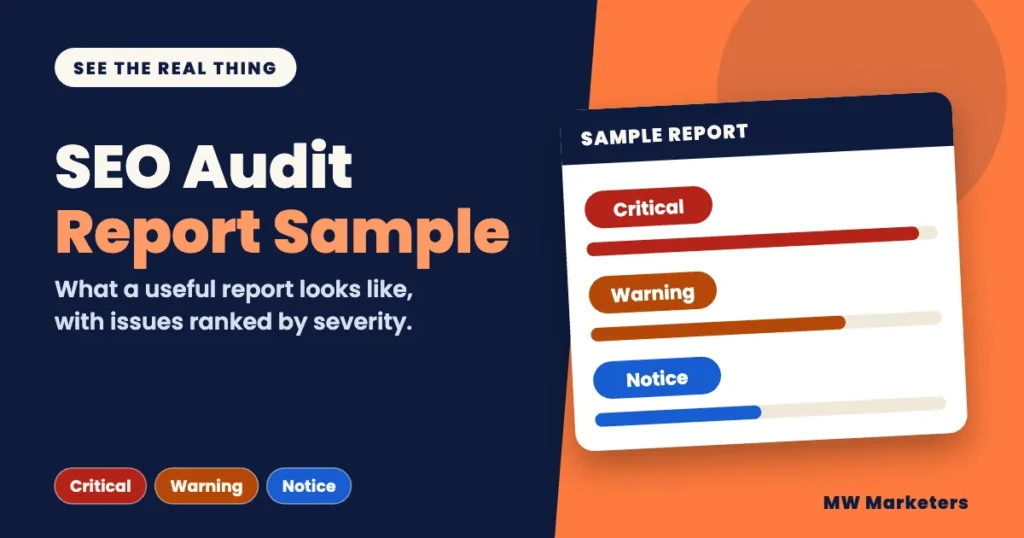
An SEO audit report sample should help you answer one question: could you act on this? A long list of issues does not help a small business owner. A short report that says what is wrong, where to find it and how to fix it does.
Below is a labeled sample built on a made-up business. You can filter it by severity and open each finding. After it, you get a short quality check you can run on any report, including one you already own. MW Marketers sells SEO audits, so one section near the end describes how our own report is laid out.
A useful SEO audit report sorts issues into categories, ranks each one as Critical, Warning or Notice, names the specific affected pages, explains what the issue can cause, and gives fix steps. The sample below uses a made-up business, not a client. Use the quality check to judge any report you receive.
What should an SEO audit report contain?
Search results for this topic are mostly downloadable PDFs and template pages. Those show a layout. A layout does not tell you whether the findings are useful. Judge a report by the six parts below.
| Part of the report | What it should tell you | If it is missing |
|---|---|---|
| Scope line | The site address, the number of pages covered and the date of the check | You cannot tell whether the whole site was checked |
| Severity summary | How many issues are Critical, Warning or Notice | You have no sense of what is urgent |
| Categories | Where the issues sit, such as links, technical health or content | You get one long, mixed list |
| Findings | For each issue: what it is, what it can cause, example pages and how to fix it | You get a diagnosis with no way to act |
| Full issue list | Every affected page, usually as a spreadsheet, when the report shows only some examples | You cannot hand the full list to the person who edits your site |
| Action plan | An order or timeline for working through the fixes | You do not know where to start |
What does an SEO audit report sample look like?
This sample covers a made-up business with a small website. The page addresses use the reserved .example domain, so they are illustrative addresses, not real business pages. The Critical, Warning and Notice scale is the one MW Marketers uses in its reports. The severity of each finding is the author’s judgment. The sample shows layout and level of detail. It is not a list of every check an audit runs.
Every finding follows the same four parts:
- 1What this isThe issue in one plain sentence.
- 2What it can causeThe effect on visitors or on search.
- 3Example pagesThe specific page URLs, with where to find the problem.
- 4How to fix itThe steps to resolve it.
Sample only. Made-up business, not a client.
SEO audit report: Sample Business (sample-business.example)
CriticalMenu links lead to pages that do not existSite structure and links | 3 URLs
What this is
Some links in the main menu and footer point to pages that return a “404 Not Found” error.
What it can cause
Visitors reach a dead end instead of the page they clicked for. Google generally removes a URL that returns a 404 from its index after it recrawls the page. Until then, a previously indexed URL may remain in search results for a while. A single missing page does not harm a whole site. It is marked Critical in this sample because the broken links appear in prominent site navigation and can prevent visitors from reaching important pages. (Google on 404 errors)
Example pages
https://sample-business.example/services/maintenance/
Status: 404 Not Found
Where to find it: Main menu, under “Services”. Linked from 3 pages.https://sample-business.example/old-pricing/
Status: 404 Not Found
Where to find it: Footer, second column, “Pricing”. Linked from 3 pages.
Showing 2 of 3. The full list is in the issue spreadsheet.
How to fix it
Point each menu link to the right live page. If a page was deleted by mistake, restore it. If a page moved, set up a redirect from the old address to the new one.
CriticalAn important page is set to noindexTechnical health | 1 URL
What this is
The main Services page carries a noindex instruction. It tells Google to keep the page out of search results.
What it can cause
Once Google crawls and processes the noindex instruction, the page is excluded from Google Search results, however good its content is. The setting can be left on by mistake after a redesign or a test version of the site. (Google on noindex)
Example pages
https://sample-business.example/services/
Status: 200 OK, noindex found
Where to find it: In the page source, inside the robots meta tag in the head. Also visible in the page’s SEO plugin settings, if you use one.
How to fix it
If the page should appear in search, remove the noindex setting and save. Google can process the change the next time it crawls the page.
WarningSeveral pages share the same titleOn-page SEO | 4 URLs
What this is
Four pages use the same title text: “Sample Business | Home”.
What it can cause
Google advises that each page have its own descriptive title. When many pages share one title, people and search engines struggle to tell them apart, and Google may rewrite the title it shows in results. (Google on title links)
Example pages
https://sample-business.example/services/maintenance/
Status: 200 OK, title is “Sample Business | Home”
Where to find it: Browser tab, and the SEO title field of the page.https://sample-business.example/about/
Status: 200 OK, title is “Sample Business | Home”
Where to find it: Browser tab, and the SEO title field of the page.
Showing 2 of 4. The full list is in the issue spreadsheet.
How to fix it
Write a different title for each page that says what that page is about, for example “Maintenance Plans | Sample Business”.
WarningSome pages load images over an insecure connectionSecurity | 2 URLs
What this is
The pages load over HTTPS, but a few images are pulled from addresses that start with http://. This is called mixed content.
What it can cause
Browsers may block or upgrade the insecure image. Mixed content can also weaken the security of an otherwise HTTPS page. (web.dev on mixed content)
Example pages
https://sample-business.example/contact/
Status: Image loaded from an http:// address
Where to find it: The photo at the top of the page.https://sample-business.example/services/
Status: Image loaded from an http:// address
Where to find it: The icon row below the first heading.
How to fix it
Change each image address to https:// if the image host supports it. If it does not, move the image to a secure host you control and update the page to use the https:// address.
NoticeService pages do not say who is behind the businessContent and trust | 2 URLs
What this is
Two service pages show no business name, owner or contact details on the page itself.
What it can cause
Google says it is helpful when visitors can easily tell who created a page. For a business deciding whether to hire a service provider, clear business identity and contact information can also make it easier to assess and contact the company. (Google on people-first content)
Example pages
https://sample-business.example/services/maintenance/
Status: No business details on the page
Where to find it: Bottom of the page content, above the footer.https://sample-business.example/services/
Status: No business details on the page
Where to find it: Bottom of the page content, above the footer.
How to fix it
Add a short block that names the business, says who runs it and links to the About and Contact pages. Use only details that are true.
NoticeImages are missing alt textAccessibility basics | 9 URLs
What this is
Nine pages contain images with no alt text. Alt text is a short written description of an image.
What it can cause
People who use screen readers get no description of the image. Google also uses alt text, along with other signals, to understand what an image shows. Images that only decorate the page should have an empty alt attribute, so screen readers skip them. (Google on image alt text, W3C on decorative images)
Example pages
https://sample-business.example/gallery/
Status: 6 images without alt text
Where to find it: The image grid, first row.https://sample-business.example/about/
Status: 1 image without alt text
Where to find it: The team photo near the top.
Showing 2 of 9. The full list is in the issue spreadsheet.
How to fix it
Add concise alt text that describes each informative image. Decorative images should have an empty alt attribute so screen readers can skip them. Do not stuff alt text with keywords.
NoticeThe robots.txt file blocks a crawler you may want to allowAI crawler access | 1 URL
What this is
The robots.txt file contains a rule that blocks one named AI crawler from the whole site.
What it can cause
A crawler that respects robots.txt should not crawl the pages covered by the block rule. However, robots.txt is not a security measure and does not prevent other parties from accessing those URLs. Whether that matters depends on whether you want that service to reach your site. This is a decision, not an error.
Example pages
https://sample-business.example/robots.txt
Status: 200 OK, site-wide block rule found
Where to find it: Line 6 of the file, under the crawler’s name.
How to fix it
Decide whether you want that crawler on your site. If you do, remove its block rule. If you do not, leave the rule and mark it as intentional. Do not use robots.txt to protect private or sensitive pages. Use proper access controls for those.
In this sample there are 7 findings across the 7 categories: 2 Critical, 2 Warning and 3 Notice. Google’s guidance behind each finding is listed under Sources.
How do I read an SEO audit report if I am not an SEO?
You do not need to read every line. Use these rules:
- Start with Critical findings. These are the issues judged most urgent because they can seriously affect access to important pages, crawling, indexing or the visitor experience.
- Read one finding all the way through first. Open its example page and confirm you can see the problem yourself.
- Do not judge by counts alone. Nine images without alt text is a smaller problem than one important page set to noindex.
- Give the full issue list to whoever edits your site. Keep the report itself for decisions.
- Handle Notices later. Fix them when you are already editing that page.
For a small site, it may be practical to address the Critical findings and Warnings in one pass. For a larger site, start with the Critical findings, then prioritize Warnings by their likely impact and the number of affected pages. Page count is only one consideration; the importance of the affected pages and the nature of each issue matter too.
Can I act on my report? A quick quality check
Tick every statement that is true for the report you have. The score is the number of boxes ticked out of 9, and each item counts the same. This is a rule of thumb, not an industry standard. It tells you whether a report is usable, not whether its findings are correct.
Tick the statements that are true to see your score.
Ask the provider for:
- 9 of 9: Ready to use. You can act on this report.
- 7 to 8: Mostly usable. Ask the provider to add the missing parts in writing.
- 5 to 6: Thin. You will need extra help to act on it.
- 0 to 4: Closer to a tool printout than a report. Ask for more detail before you act or pay.
If any box is unticked, ask the provider to add that part in writing.
What can a sample report not tell you?
- A sample is a best case. It is polished and made up. A real report for a messy site will have more findings and rougher edges.
- Severity is a judgment. Two auditors can rank the same issue differently. Ask why a finding is Critical.
- An audit finds problems. It does not fix them. It also cannot promise rankings or traffic.
- A report is a snapshot. It describes the site on the day it was checked.
- Small sites may not need one. If your site has fewer than about 20 pages and you are comfortable checking links and titles by hand, a free crawling tool may find most of the same issues. More step-by-step guides are on the MW Marketers blog.
What does an MW Marketers SEO audit report include?
This section describes our own product, based on the details published on the SEO Audit page. It works like the sample above, with these published features:
- Seven categories: site structure and links, technical health, on-page SEO, content and trust, security, accessibility basics and AI crawler access.
- Findings ranked Critical, Warning or Notice.
- Up to two example pages for each issue, with a note on where to find the problem.
- A line such as “Showing 2 of 3” when an issue has more pages. The full list is in the issue spreadsheet.
- A 90-day action tracker to plan your next steps.
- A person reviews every report before it is delivered.
- Delivery within 24 hours after payment is confirmed. A recorded video or live call walkthrough can be added when you order.
The fee depends on the number of pages the audit covers, and the page shows the fee for your page count before you pay. Fixing issues is not included in the audit price. The sample on this page is made up and is not an MW Marketers client report.
FAQ about SEO audit report samples
Is the sample report a real client’s report?
No. The sample uses a made-up business and made-up page addresses. It shows the format and the kind of explanation a report should give. It does not show results from any real site.
Does an SEO audit report include the fixes themselves?
A report explains each issue and how to fix it. Making the changes is separate work. At MW Marketers, fixing issues is not included in the audit price.
Which issues should I fix first?
Start with Critical findings, because they are the issues judged most urgent. Then work through Warnings, and handle Notices when you are already editing those pages.
What should I do next?
- Read the Critical findings in your own report first, or in the sample above.
- Run the quality check. If any box is unticked, ask the provider to add that part in writing.
- To see what an audit of your own site would cover, check your page count against the published fees.
Sources
- Robots meta tag, data-nosnippet, and X-Robots-Tag specifications. Google Search Central. Last updated March 24, 2026.
- Influencing your title links in search results. Google Search Central. Last updated December 10, 2025.
- HTTP status codes, and network and DNS errors. Google Search Central. Last updated February 4, 2026.
- Image SEO best practices. Google Search Central. Last updated March 2, 2026.
- Creating helpful, reliable, people-first content. Google Search Central. Last updated October 5, 2026.
- Decorative Images (Web Accessibility Tutorials). W3C Web Accessibility Initiative. Updated July 27, 2019.
- What is mixed content?. web.dev (Google). Last updated September 7, 2019.

- How Much Does Local SEO Cost? A Guide for Small Businesses - November 4, 2026
- What Is Local SEO? A Plain-English Guide for Small Businesses - November 4, 2026
- SEO Audit Template: A Free Worksheet You Can Fill In Today - November 4, 2026
Keep reading
 SEO Guides
How Much Does Local SEO Cost? A Guide for Small Businesses
See what local SEO costs per month, what affects the price and what a quote should include. Use a quick…
 Anus Anwar· 7 min read
 SEO Guides
What Is Local SEO? A Plain-English Guide for Small Businesses
Local SEO helps your business appear when people search for something nearby. See how map results differ from regular ones…
Anus Anwar· 10 min read SEO Guides
SEO Audit Template: A Free Worksheet You Can Fill In Today
Download a free SEO audit template with a 25-item checklist and an issue log. No email needed. See how to…
Anus Anwar· 8 min readReady to fix what is holding your website back?
Tell us about your site and we will reply within one business day.
Contact Us