

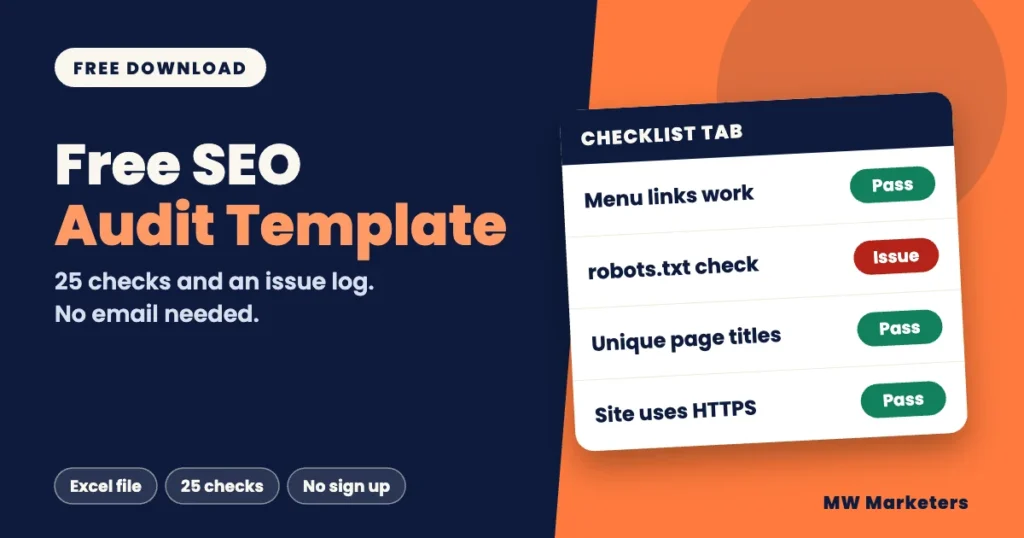
This SEO audit template is a free Excel worksheet for checking your own website. It has a 25-item checklist, and an issue log that ranks each problem as Critical, Warning or Notice. You do not need an email address to download it.
A template does not find problems by itself. It gives you one place to record what a crawl, Google Search Console and your own review turn up, so the audit ends with a list you can act on. Below you will see what is inside the file, how to fill it in and how to decide what to fix first. MW Marketers sells SEO audits, so one section also explains when paying for an audit makes more sense than using a worksheet.
Download the free MW Marketers SEO audit template, an Excel file with a 25-item checklist and an issue log. Fill in the Setup tab, mark each check Pass or Issue, then log every issue with its page URL and a severity. Fix Critical issues first. The template records findings. It does not find them for you.
What is in the free SEO audit template?
The file has four tabs. Each one has one job, so you can use the whole file or only the parts you need.
| Tab | What it is for | What you fill in |
|---|---|---|
| Start Here | Instructions and the severity key | Nothing. Read it first. |
| Setup | The site and the date of the check | Website address, date, who ran the audit, page count, tools used |
| Checklist | 25 checks in 7 areas, each with where to look and a default severity | A result for each check: Pass, Issue, Not checked or Not applicable |
| Issue Log | One row for each problem you find | Severity, affected page URL, where to find it, what it can cause, how to fix it, owner and status |
The 25 checks sit in the same seven areas that MW Marketers uses in its audit reports: site structure and links, technical health, on-page SEO, content and trust, security, accessibility basics and AI crawler access. Each check is one short statement with a place to look. When a check fails, you write the details in the Issue Log. It works as a website audit template for any site you own or manage, whatever platform it runs on.
Free SEO audit template (Excel, .xlsx)
Four tabs, 25 checks and an issue log. Free, with no email and no sign up. Last reviewed November 4, 2026.
Download the SEO audit templateWhat does the template look like?
Choose a tab to see its layout. The results and issues shown are examples only, made up for this page.
Preview. Example data, not a real site.
Checklist tab
| # | Area | Check | Default severity | Result |
|---|---|---|---|---|
| 1 | Site structure and links | Menu and footer links open live pages, with no 404 errors | Critical | Pass |
| 7 | Technical health | The robots.txt file does not block pages or files you want crawled | Critical | Issue |
| 12 | On-page SEO | Every page has its own descriptive title | Warning | Pass |
| 23 | Accessibility basics | Form fields have labels and can be used with a keyboard | Notice | Not checked |
Issue Log tab (5 of 12 columns shown)
| ID | Issue | Severity | Affected page URL | Status |
|---|---|---|---|---|
| 1 | Robots.txt blocks the blog folder | Critical | https://sample-business.example/blog/ | Open |
| 2 | Sitemap lists pages that redirect | Warning | https://sample-business.example/sitemap.xml | In progress |
| 3 | Footer text is hard to read against its background | Notice | https://sample-business.example/ | Fixed |
How do I use the SEO audit template step by step?
Read the Start Here tab first. Then you work through three tabs in order.
- 1SetupDescribe the site and the check.
- 2ChecklistMark each of the 25 checks.
- 3Issue LogRecord every issue you find.
- Fill in the Setup tab. Write the site address, the date and the tools you will use. Add the number of pages you are checking.
- Collect your data. Run a crawl with a website crawler. Also open the Page indexing report in Google Search Console. The crawl lists things like broken links, titles and redirects. The report shows which pages Google has indexed and the reasons it left others out. Some pages are left out on purpose, so read each reason before you call it a problem.
- Go through the Checklist tab. Use the Where to look column to find each answer. Set the Result to Pass, Issue, Not checked or Not applicable. Use Not applicable only when a check cannot apply, such as a form check on a site with no forms.
- Log each issue. Add one row to the Issue Log for every Issue result. Write the affected page URL and where to find the problem. If an issue affects many pages, list a few examples in the row and keep the full list in your crawl export.
- Rank and plan. Count your issues by severity and start with the Critical ones. Use the Owner and Status columns to note who will fix each issue and where it stands.
How do I decide what to fix first?
Every check in the template has a default severity, and you can change it. Ask these three questions to rate an issue:
- Is an important page unintentionally unreachable for visitors, blocked from crawling or kept out of the index? If a page that should be available cannot be reached, crawled or indexed, rate the issue Critical.
- Does it affect many pages, or how your pages appear in search, while the pages still work? That is usually a Warning.
- Is it a small improvement you can make when you are already editing the page? That is a Notice.
Severity is a judgment, not a Google rating. A robots.txt rule that blocks your whole blog may be Critical if those pages are meant to be crawled and to appear in search. If you blocked them on purpose, it is not an error. A missing meta description on a minor page may be a Notice. Rate each issue by what it does on your site, and change the default severity in the Checklist tab when your case is different.
Start with the Critical issues that genuinely affect important pages or essential site functions. Then work through the Warnings that affect the most pages, followed by Notices when you are already editing those pages.
Can I use this as an SEO audit report template?
Not on its own. This free worksheet is a working log, not a formatted report. The Issue Log lists each finding with its affected page, what it can cause and how to fix it, so you can hand it to the person who will make the changes. It does not build a summary, count your results or lay out a plan for you.
A finished report is a separate deliverable. A MW Marketers audit report covers seven areas, ranks each issue as Critical, Warning or Notice, gives up to two example URLs for each issue and includes a 90-day action tracker. A person reviews every report before it is delivered.
Is a free template enough, or should I pay for an audit?
The template is enough when you can run a crawl, read the results and edit your own pages. A paid audit makes more sense when you do not have time to work through 25 checks, you do not have a crawler or are not sure how to read its output, or the site is too large to check by hand. That is the author’s judgment, not a rule. Neither option fixes anything. An audit finds and ranks problems, and someone still has to make the changes.
The template also has limits. It cannot crawl your site, it cannot tell you whether your severity ratings are right, it does not build a report for you, and a finished worksheet is a snapshot of one day.
MW Marketers sells SEO audits, so we have an interest in this answer. This worksheet is the free, do-it-yourself version. Our SEO audit covers the same seven areas and comes as a finished report. The fee depends on the number of pages and is shown before you pay. Fixing the issues is not included. More step-by-step guides are on the MW Marketers blog.
FAQ about the SEO audit template
Do I need to give an email address to download the template?
No. The download is free and there is no sign up.
Can I use the template in Google Sheets?
Google Sheets can open .xlsx files. Upload the file to Google Drive and open it with Google Sheets. Then check that the dropdowns and formatting work as expected. The file was built for Excel and has not been tested in every version of Google Sheets.
Does the template find SEO problems for me?
No. It is a worksheet. You need a website crawler for page-by-page data and Google Search Console to see how Google indexes your pages. Then you record what you find in the template.
What should I do next?
- Download the template and fill in the Setup tab.
- Run a crawl and open the Page indexing report in Google Search Console.
- Work through the Checklist and log the Critical issues first.
Sources
- Page indexing report. Google Search Console Help. Date not shown on the page.
- Work with Office files. Google Docs Editors Help. Date not shown on the page.

- How Much Does Local SEO Cost? A Guide for Small Businesses - November 4, 2026
- What Is Local SEO? A Plain-English Guide for Small Businesses - November 4, 2026
- SEO Audit Template: A Free Worksheet You Can Fill In Today - November 4, 2026
Keep reading
 SEO Guides
How Much Does Local SEO Cost? A Guide for Small Businesses
See what local SEO costs per month, what affects the price and what a quote should include. Use a quick…
 Anus Anwar· 7 min read
 SEO Guides
What Is Local SEO? A Plain-English Guide for Small Businesses
Local SEO helps your business appear when people search for something nearby. See how map results differ from regular ones…
Anus Anwar· 10 min read SEO Guides
SEO Audit Report Sample: What a Useful Report Looks Like
See a labeled SEO audit report sample with severity levels, example pages and fix steps, plus a quality check to…
Anus Anwar· 13 min readReady to fix what is holding your website back?
Tell us about your site and we will reply within one business day.
Contact Us